
Managing Multiple Android Accounts: Everything You Need to Know
Summarize this article with your preferred AI
Managing multiple mobile accounts requires separate app environments, network settings, and account data. This guide explains how to manage multiple Android accounts, when to use a multi-account browser, and when a cloud phone is the better option.
We’ll cover how to manage multiple Android accounts and how to choose between isolated browser profiles and cloud phones for your workflow.
What Does Managing Multiple Android Accounts Involve?
If you’re already managing multiple accounts, you’ll find this concept familiar: multi-accountion technology built on Android OS.
Managing multiple Android accounts involves using isolated browser profiles or cloud-based Android environments to separate account data. Multi-account browsers support mobile websites, while cloud phones provide complete Android systems for native apps.
There are two main approaches: multi-account browsers for web-based accounts and cloud phones for native Android apps.
Android Multi-account browser
A multi-account browser for Android-oriented web workflows creates separate browser profiles with their own cookies, local storage, proxy settings, and browser configurations. It is designed for managing authorized web accounts without mixing session data; platform policies still apply.
Multi-account browsers create separate web environments for each profile. Unlike private browsing or a VPN alone, they maintain independent cookies, storage, proxy assignments, and profile-level browser settings.
Android Cloud Phone
A cloud phone is a cloud-based Android environment that users can access remotely. It supports native mobile apps and keeps each phone environment’s app data and system settings separated. GeeLark provides cloud phones for multi-account mobile workflows.
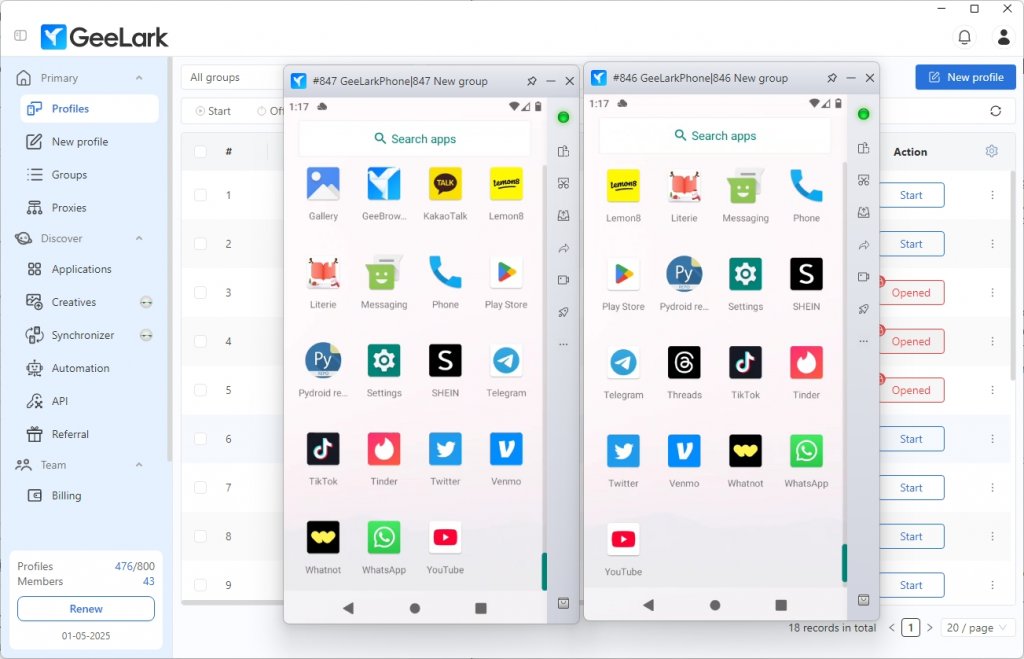
With an Android cloud phone platform like GeeLark, users can create multiple isolated phone environments in one interface. Each cloud phone can run native apps and use its own authorized proxy assignment, helping teams keep mobile account workflows organized and separate.
Why Would You Choose to Use an Android cloud phone?
These days, everyone uses smartphones. The numbers show just how important phones have become – more than half (60%) of all internet use happens on mobile devices. This means businesses have had to change how they work, including how their websites look and how they talk to customers. Popular video sharing platform like TikTok, Instagram Reels, and YouTube Shorts are designed specifically for phones, making traditional methods inadequate for effectively managing these apps.
Cloud phones provide a practical way to manage authorized mobile accounts in separate Android environments. They are useful for social media management, app testing, digital marketing, and other mobile-first workflows.
How It Works
An Android cloud phone platform like GeeLark runs separate Android environments in the cloud. Each environment maintains its own app data and system configuration, reducing accidental data overlap between mobile account workflows.
How It’s Different
An Android cloud phone provides a complete Android environment for native apps, while a VPN only changes the network route and a multi-account browser focuses on websites. Cloud phones are designed for isolated mobile workflows but do not guarantee anonymity or protection from platform restrictions.
GeeLark’s Advantages Over Traditional Methods
The main difference is the operating environment: multi-account browsers manage isolated website profiles, while GeeLark cloud phones provide Android environments that can run native mobile apps.
Compared to other conventional approaches like purchasing multiple physical devices or using basic emulators, Android cloud phone solution also offers several significant benefits.
Unlike Android emulators, GeeLark works better because it runs in the cloud instead of on your computer. This means it’s faster and feels more like a real phone. It also won’t slow down your computer like emulators do.
Some people might think buying multiple real phones is the best way to go. But this can get expensive and messy quickly. GeeLark gives you virtual phones in the cloud that you can access from anywhere. You don’t need to worry about storing or managing physical devices, and you can work with your team no matter where they are.
Why Choose GeeLark?
GeeLark makes managing multiple virtual phones simple and affordable. You don’t need to buy lots of physical phones or expensive computers. Best of all, you can start small with just 10 phones and grow up to 10,000 as your needs change.
Working with your team is easy because everyone can access and manage accounts from anywhere. You can easily download apps from the built-in app store, and use helpful tools to automate repetitive tasks, which saves time and reduces mistakes.
Main Features of GeeLark Virtual Phones
- Cloud-Based: Use multiple phones without slowing down your computer
- Privacy Protection: Use different internet locations for each phone to stay private
- Apps Store Available: Get all your favorite apps and social media from our app store
- Team-Friendly: Work together with your team from anywhere
- Time-Saving Automation Tools: Make social media tasks easier on platforms like TikTok and Facebook
Setting Up Your Android Cloud Phone in GeeLark
Ready to explore how cloud phone can benefit your business? Here’s your step-by-step guide to getting started with GeeLark:
- Visit GeeLark’s website and download.
- Begin with GeeLark’s free trial or starter plan to learn the platform.
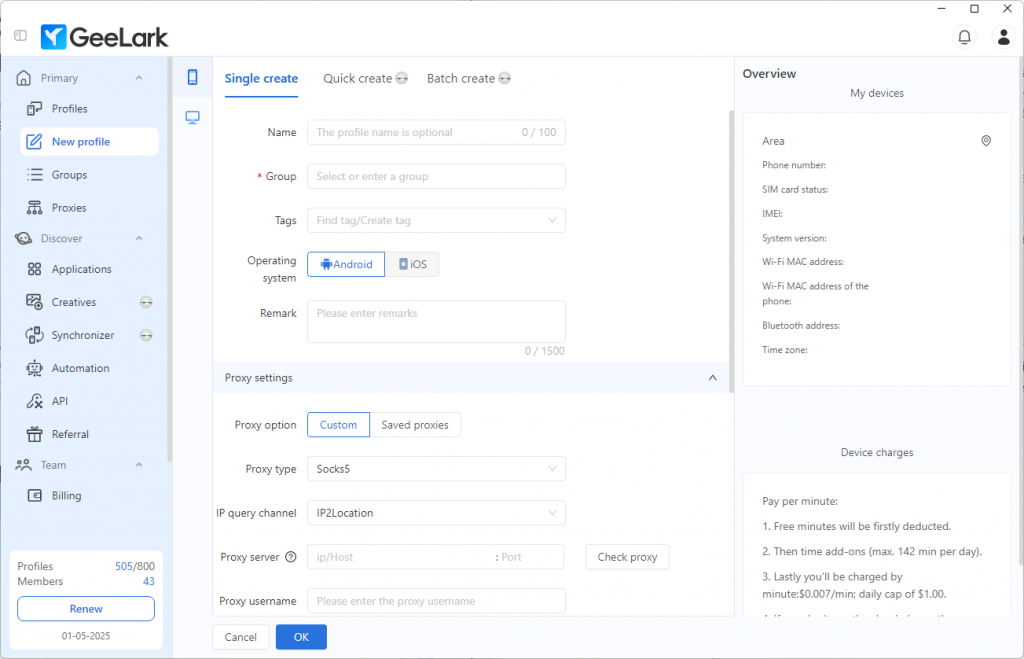
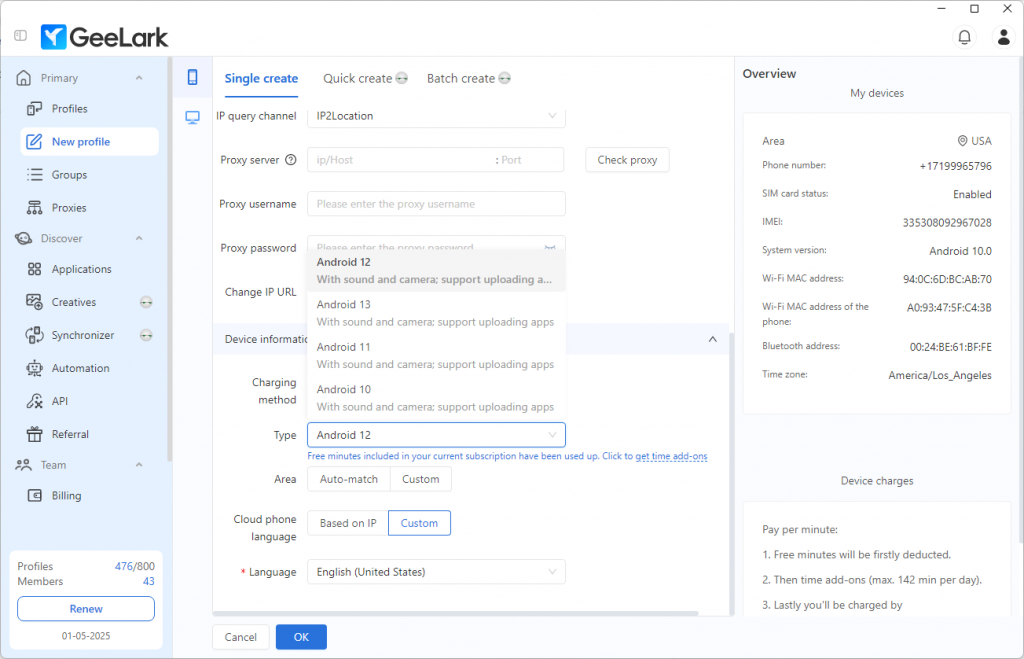
- Create your cloud phone profiles with unique proxy configurations and select your preferred Android version.
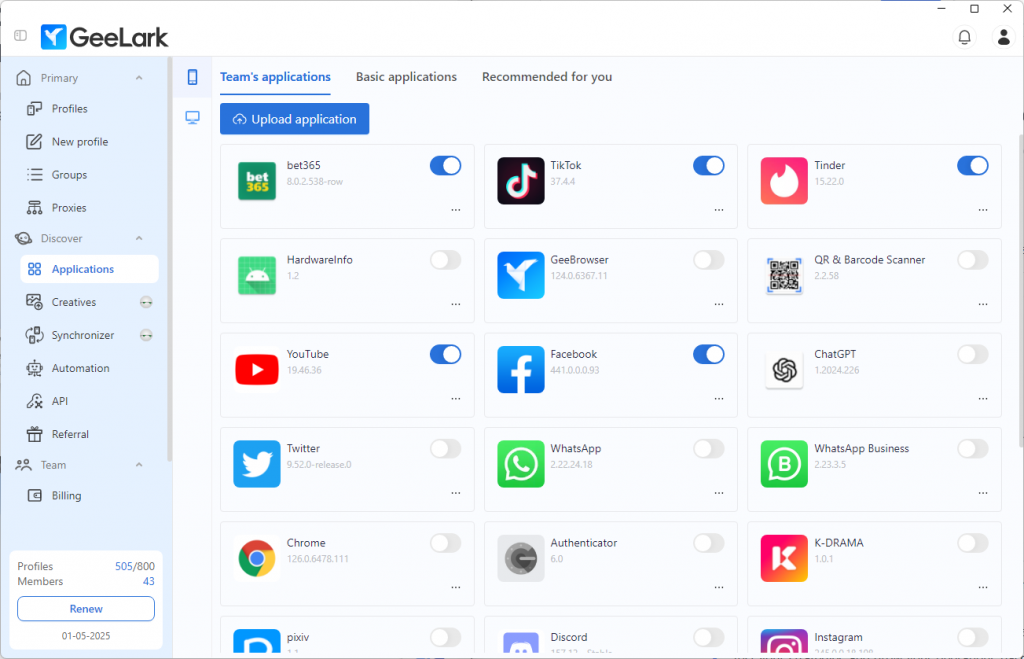
- Download your essential business apps from GeeLark’s app center.
- Test your strategies and grow your operations based on results.
Bonus: Enhancing Online Privacy and Anonymity
When using cloud phones or multi-account browser profiles, check that each authorized proxy is connected to the intended profile and region. IP-checking tools can confirm the active public IP and location, but they do not prove anonymity or prevent normal platform tracking.
The future of business opportunities is mobile-centric, and GeeLark is leading the charge.