
Create multiple Telegram accounts safely with cloud phones
Real Android cloud phones
Team-based account access
Proxy and location planning
Telegram mini app workflows
One Telegram account per environment
BUILT FOR TEAMS MANAGING MOBILE-FIRST ACCOUNT OPERATIONS
Crypto and Web3 teams
Crypto and Web3 teams can separate Telegram accounts for communities, mini apps, airdrops, campaign testing, and regional operations.
Community operators
Community teams can manage accounts for moderation, group participation, announcements, and member support without mixing every workflow on one device.
Growth agencies
Agencies can manage Telegram accounts for different clients, campaigns, and communities in separate cloud phone profiles.
App and mini app teams
App teams can test Telegram mini app flows, account onboarding, notifications, and mobile interactions across multiple cloud phone environments.
THE PROBLEM
Can you have multiple Telegram accounts?
Yes. Telegram supports multiple accounts when each account uses a different phone number. Telegram’s official app also lets users switch between accounts without logging out, which is useful for personal users or small teams.
For larger operations, the real challenge is not only creating accounts. The harder part is keeping each Telegram account organized, separated, and easy to operate across teams, proxies, devices, groups, channels, and mini app workflows.
When does Telegram native account switching become not enough?
Constant account switching
Managing multiple Telegram accounts interrupts workflows and reduces team efficiency.
Fragmented account management
Communities, clients, campaigns, and regions quickly create dozens of accounts to organize.
Team access challenges
Sharing credentials creates collaboration issues and weakens access control.
No centralized workspace
Native account switching doesn’t provide unified management for teams operating at scale.
Hard to scale
As account numbers grow, manual management becomes increasingly inefficient.
Pain points become a single workspace
Centralized Telegram workspace
Cloud phones for every account
Role-based team access
Organized account management
How GeeLark cloud phone works for Telegram
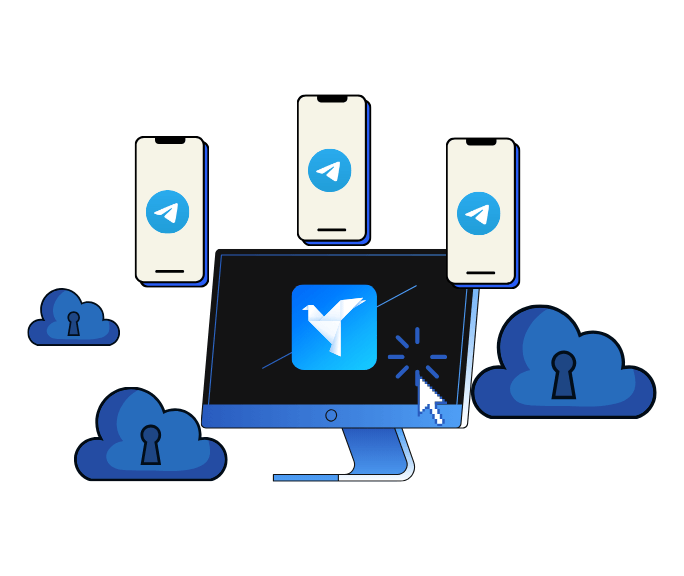
GeeLark lets your team run Telegram accounts inside remote Android cloud phones. Instead of logging many accounts into the same local device, each Telegram account can operate in its own Android environment with separate app data, login session, device profile, proxy settings, and operator access.
Your computer
Remote access to all Telegram account environments
|
GeeLark workspace
Central control for accounts, cloud phones, proxies, teams, and automation
|
Isolated Android cloud phones
One cloud phone profile for each Telegram account or account group
|
Telegram app and mini apps
Run Telegram chats, groups, channels, bots, and mini app workflows in separated mobile sessions
WHY GEELARK
Why social media teams choose GeeLark
A product-level answer to multi-account operations, not a workaround stacked on top of a browser.
A dedicated cloud phone per account
Real Android in the cloud, always on, reachable from any desktop — no hardware to buy or babysit.
Independent account environments
Separate device profile, storage, app data and network path so accounts never share a footprint.
Automation for repetitive work
Warm-up, posting and routine actions run on schedule across a whole group of accounts.
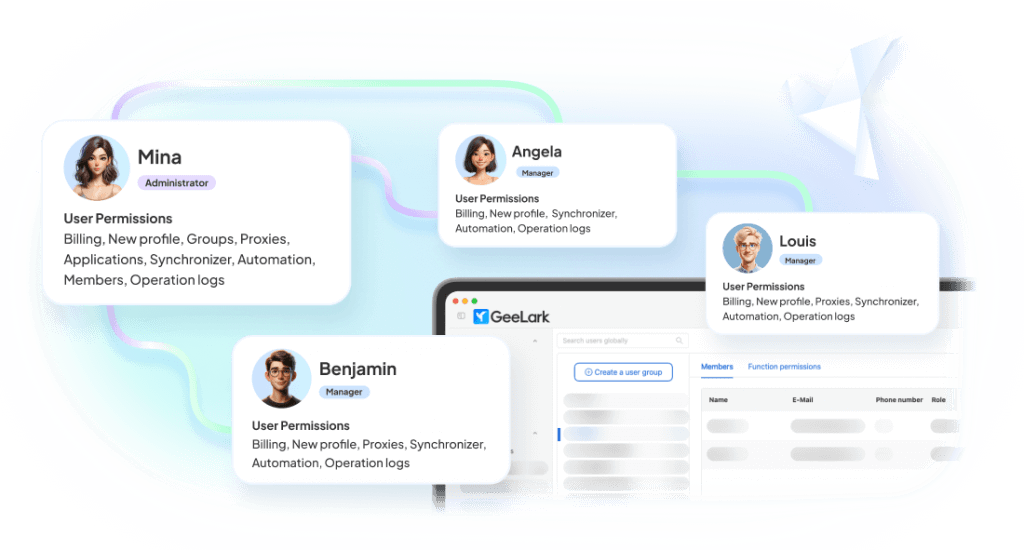
Team collaboration built in
Invite operators, scope permissions per group and hand accounts over without sharing passwords.
One workspace, six working surfaces
Everything an operator touches during a normal day, in a single product.
Keep each Telegram account environment separate
When many Telegram accounts are operated from the same device, shared session, or messy team workflow, account management becomes harder to control. GeeLark helps teams separate Telegram account environments so each profile can keep its own app data, proxy settings, operating history, and team access.

Automate Telegram workflows
Telegram automation should support real account operations, not spam, mass messaging, or fake engagement. GeeLark helps teams reduce repetitive mobile tasks while keeping account roles, conversations, and workflows organized.

Repeat supported Telegram actions across cloud phones
GeeLark Synchronizer lets operators mirror supported actions from one cloud phone to selected cloud phones. This is useful for consistent setup steps, app navigation, mini app testing, and repetitive mobile workflows.
Bind a stable network path to each account
Attach proxies per device, check connectivity before use and keep regional consistency over time.

Assign access without sharing devices
Give teammates access to the exact cloud phones and groups they need. Roles, permissions, and audit logs included.
Create social-ready content with AI
Generate images, videos, and campaign ideas tailored for Telegram—without leaving your GeeLark workspace.

COMPARISON
GeeLark vs traditional multi-account solutions
Where each approach holds up, and where it stops scaling.
|
Criteria |
GeeLark |
Physical Phones |
Android Emulators |
Browser Profiles |
|---|---|---|---|---|
|
Scalability |
Instantly add cloud phones from one dashboard |
Limited by purchased hardware |
Limited by local CPU and RAM |
Easy to create, but tied to one computer |
|
Environment isolation |
Dedicated device, storage, and network for every account |
One physical device per account |
Shared system resources and fingerprints |
Browser isolation only; no mobile environment |
|
Team collaboration |
Role-based access with centralized management |
Requires handing over devices |
Restricted to a single workstation |
Credentials are commonly shared |
|
Automation |
Built-in automation and scheduled workflows |
Mostly manual or requires additional scripting |
Script-based with ongoing maintenance |
Limited to browser automation |
|
Hardware dependency |
None — fully cloud-based |
Requires devices, SIMs, charging, and storage |
Requires a high-performance computer |
Requires a powerful desktop |
|
Mobile app fidelity |
Native Android cloud environment |
Native Android device |
Simulated Android environment |
Browser-only experience |
Choose a cloud phone when:
You need native mobile apps, remote access, separate environments, team collaboration, and scalable workflows.
Choose an emulator when:
You mainly need local app testing.
Choose a multi-account browser when:
Your workflow is primarily browser-based.
CUSTOMER RESULTS
What changes after the switch
How teams scale with GeeLark cloud phones.
Get started in 3 simple steps
Sign up
Download
Log in to the App
FAQs
Organize your Telegram account portfolio with GeeLark
Separate Telegram accounts by community, channel, region, client, support role, or mini app workflow. Manage each account in its own Android cloud phone environment with proxy settings, team access, and automation tools from one workspace.
