
Antidetect Browser For Android: What You Need To Know
Summarize this article with your preferred AI
If you’re searching for an antidetect browser solution for Android, this article is for you.
We’ll explore two popular antidetect browsers and their mobile antidetect features. Additionally, we’ll introduce another option you might not have encountered: Antidetect Phone.
Antidetect Browser For Android
Gologin
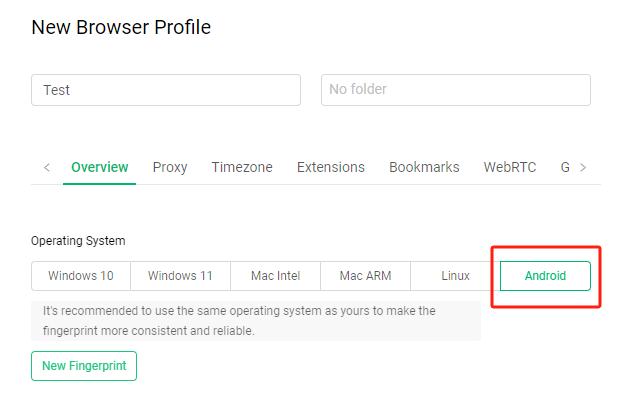
Gologin allows you to create a browser profile based on the Android system. This enables users to simulate the browser environment of an Android device, enhancing fingerprint protection and privacy management.
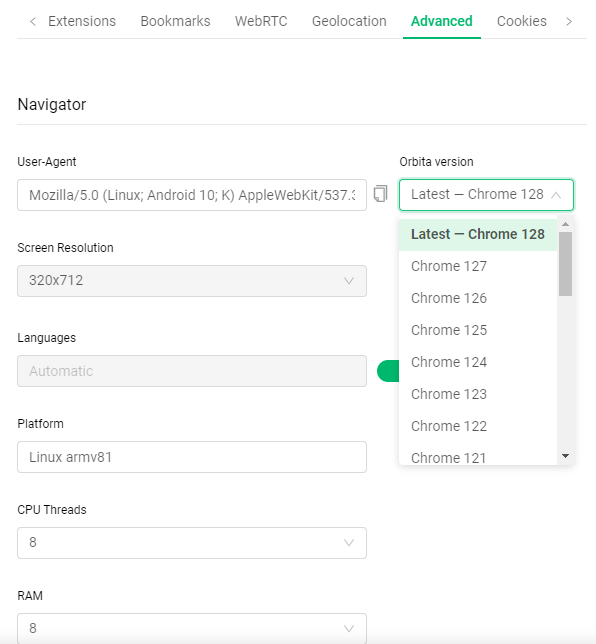
In Advanced, you can select the browser version, specifically the Chrome version in the User-Agent. This allows for more precise customization of the browser fingerprint.
AdsPower
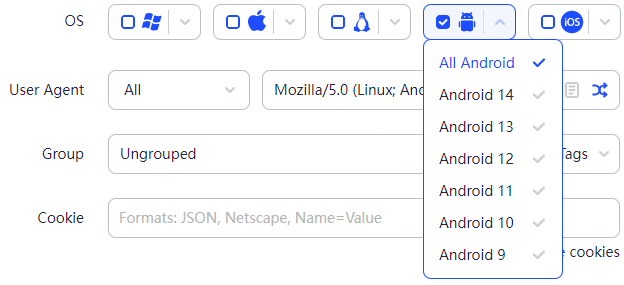
AdsPower also supports creating browser profiles based on the Android operating system. Compared to Gologin, AdsPower allows you to choose the specific Android system version when creating a profile, ranging from Android 9 to Android 14.
Most antidetect browsers on the market simulate using a mobile browser, much like the Mobile View Mode in Chrome.
For certain tasks, using a mobile browser simulated on a computer can work. However, some activities require apps to be installed or perform better on apps, such as warming up Facebook, TikTok, or Instagram accounts.
Antidetect Phone
GeeLark
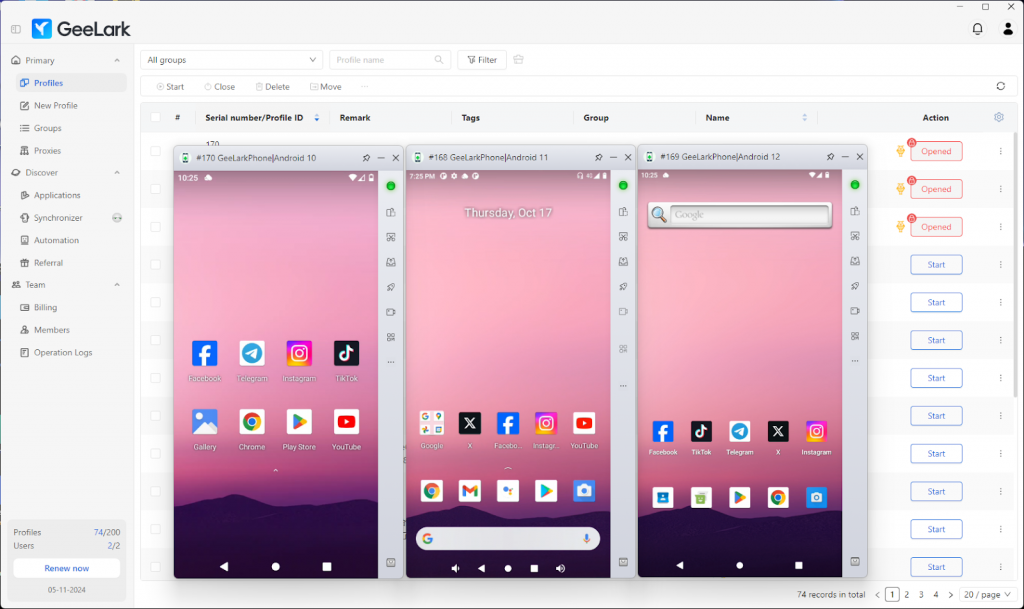
For those seeking a more comprehensive and realistic Android experience, Antidetect Phones like GeeLark offer a complete Android system. We support Android 10, 11, and 12, and you can install and run apps just like on a regular Android device.
Is GeeLark safe?
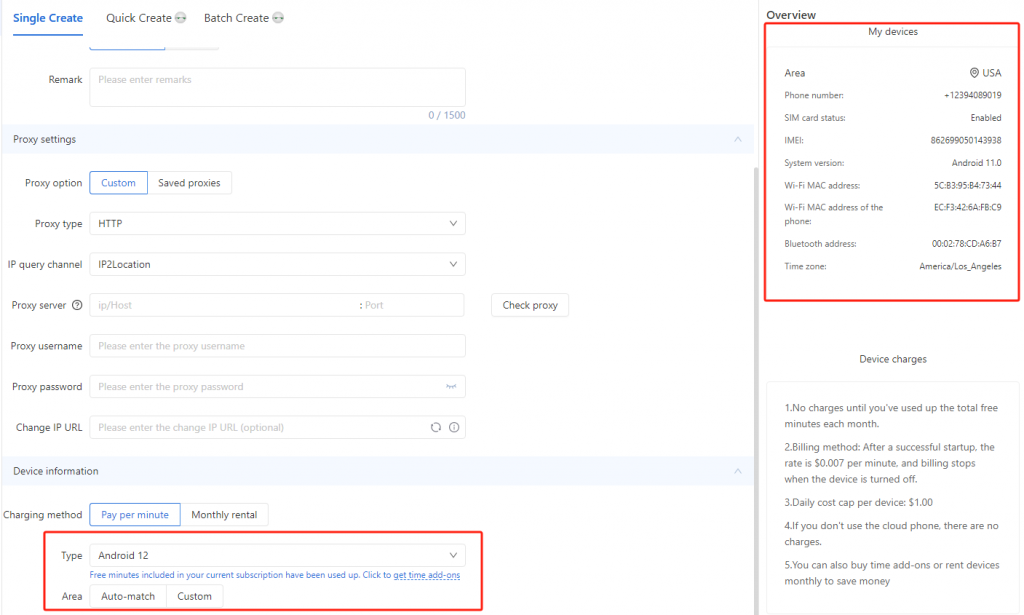
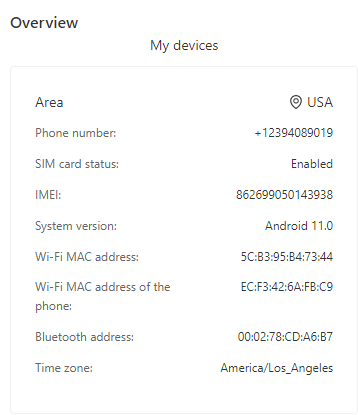
Each Cloud Phone from GeeLark comes with a unique digital fingerprint, like a MAC address, Bluetooth address, and IMEI. When you create a Cloud Phone profile, you simply choose the system you want, and GeeLark automatically generates these parameters for you.
How to set up network for a cloud phone?
When creating a Cloud Phone profile, besides naming it, adding notes, and choosing a group, you also need to enter proxy information yourself. If you have experience with antidetect browsers, this should be familiar.
GeeLark supports HTTP, HTTPS, and SOCKS5 proxies, and both static and dynamic proxies work well with GeeLark Cloud Phones.
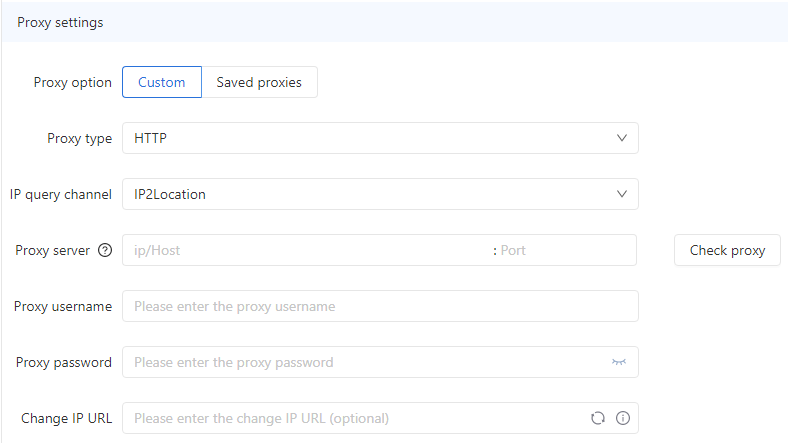
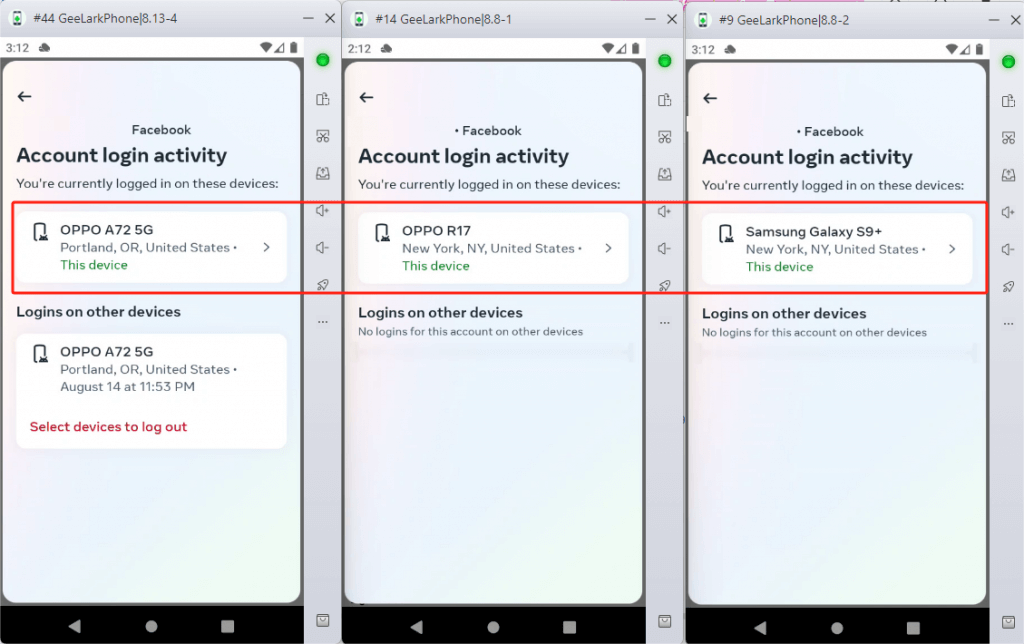
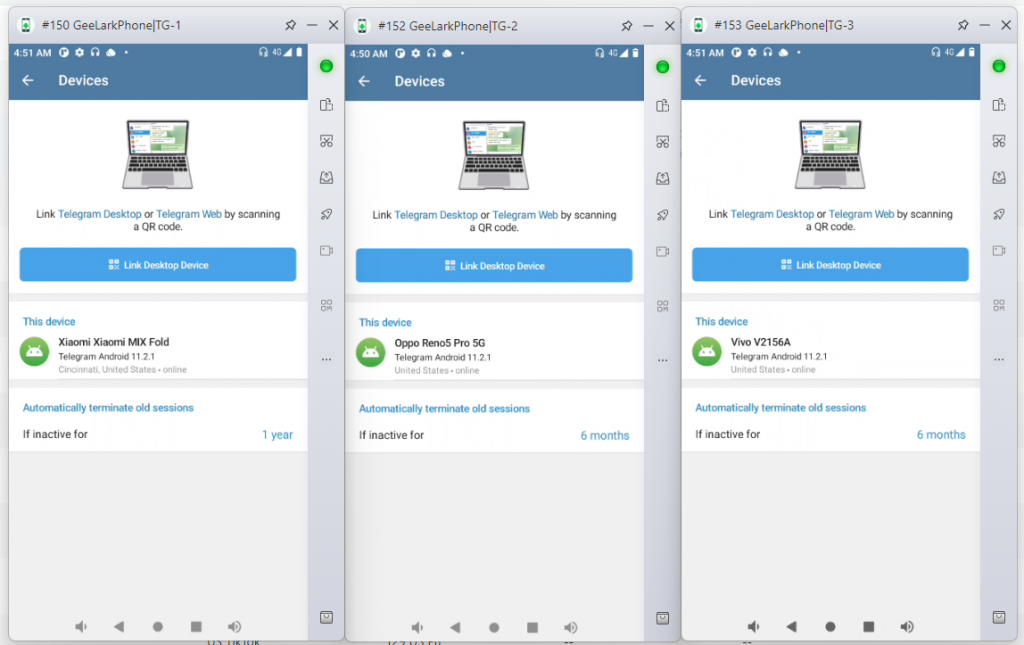
The network that a Cloud Phone uses comes from its proxy. By assigning a different proxy to each Cloud Phone, you give them unique IP addresses. This ensures “physical device isolation” and “network isolation.”
So, when you run the same app on different Cloud Phones, it looks like the devices are from different locations.
Synchronizer
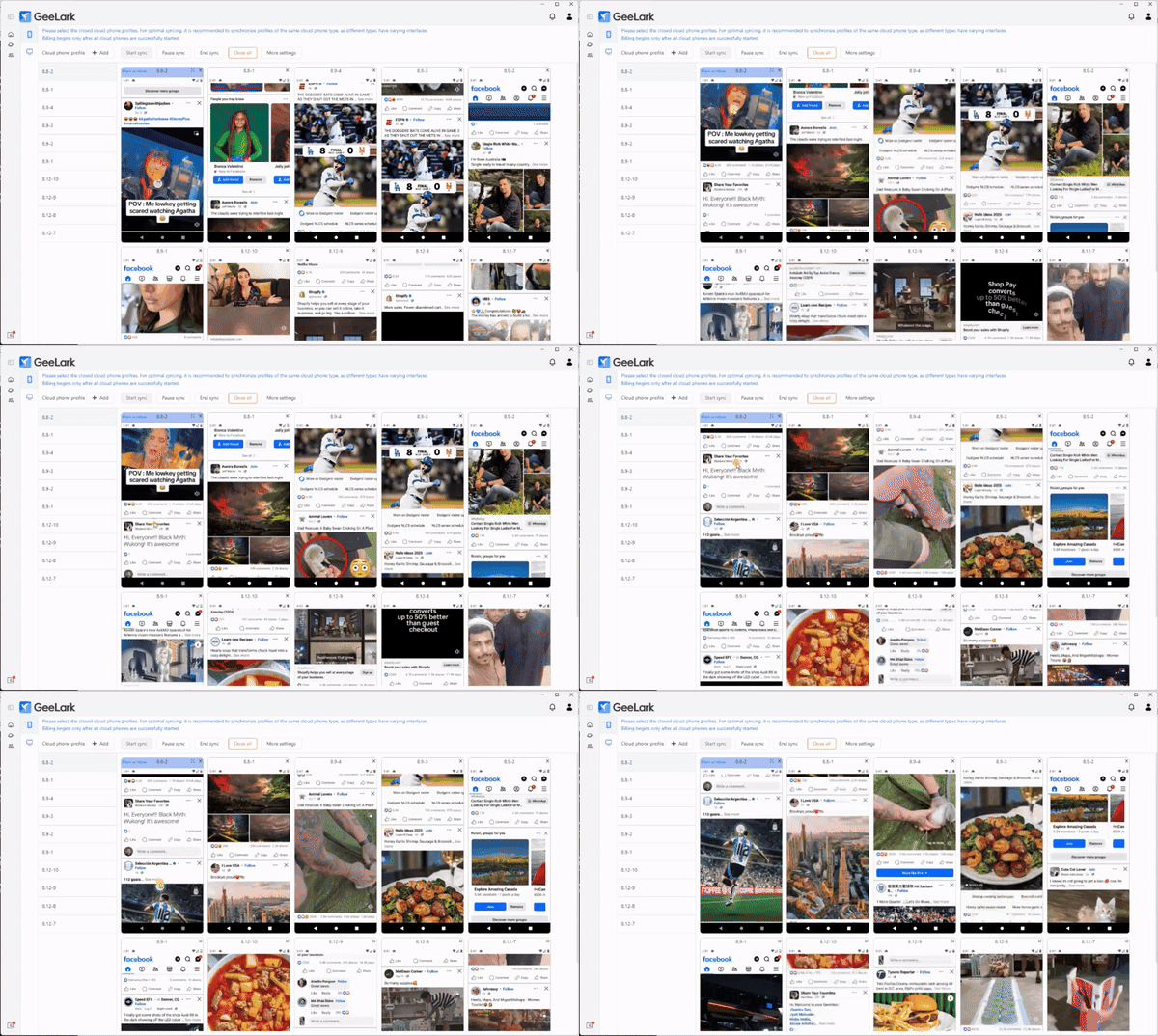
Use the Synchronizer for apps with set, repeating tasks. It allows you to control just one Cloud Phone, while all other Cloud Phones automatically mimic the actions of the main device.
Conclusion
We’re not here to tell you which solution is the absolute best. We believe that the perfect antidetect mobile solution is one that fits your unique business style, workflow, and personal preferences. It should make your life easier and save you precious time!
If you’ve tried the Antidetect browser for Android, why not check out the latest Antidetect Phone: GeeLark?
Sign up now to get a free 60-minute trial of the Cloud Phone!