
Create multiple Substack accounts


Lower the costs
Manage Substack accounts without physical devices
Manage multiple Substack accounts without physical devices—GeeLark leverages secure isolated cloud phones to streamline account management, boost productivity, and ensure scalable, compliant publishing workflows.
Cloud phones
GeeLark provides access to cloud-based Android phones that operate just like real devices.

Unique profiles
Each profile is linked to a unique cloud phone, ensuring a distinct online identity.

Proxy configuration
While GeeLark doesn’t provide built-in proxies, we support configuration of all types of proxies.

If you manage multiple social media accounts with native apps, GeeLark can be your savior! This allows you to use multiple “phones” from a single PC, synchronize repeated workflows, and deploy automation.
Hitesh Sant
Business technology expert at Geekflare
Centralized control
Run as many Substack accounts as you need
Manage multiple Substack accounts effortlessly with GeeLark’s secure cloud instances, each on an isolated IP for privacy, deliverability, and scalable newsletter management.

Scale quicker
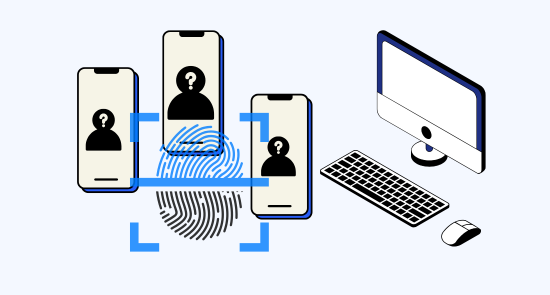
Make multiple substack accounts easier with automation
Geelark automates and centralizes multiple Substack accounts, streamlining scheduling, cross-posting, and analytics to boost efficiency, consistency, and subscriber engagement for busy publishers.
GeeLark AI & AIGC
AI-powered workflow
GeeLark’s AI-powered workflow streamlines Substack publishing, optimizing headlines, summaries, and SEO to accelerate audience growth and simplify consistent, high-quality content creation.

Synchronizer
The synchronizer replicates actions performed on one profile across all other open profiles.

RPA
Use pre-built templates for quick automation, or create custom workflows using RPA.
GeeLark AI
Create captivating content faster with GeeLark AI. Easily edit videos and generate captions, so you can post without delay.
Team collaboration
Share Substack accounts with your team
Share Substack accounts securely via Geelark.com, assigning roles and permissions for collaborative publishing, streamlined team workflows, enhanced account protection, and centralized management for growing newsletters.

Create and manage multiple Substack accounts without bans
Explore multi-account management on other platforms
Frequently asked questions
Is it legal to have multiple Substack accounts?
Yes — Substack generally allows creators to run multiple publications, and many writers leverage additional accounts to maintain separate newsletters for different topics or niches, build distinct editorial voices, coordinate team publications, test content strategies, or scale beyond a single-newsletter model. Substack’s platform has helped thousands of writers earn substantial income and reach millions of engaged subscribers, exemplifying the democratization of publishing and the value of owned audiences. For journalists covering multiple beats, writers exploring different genres, or publishers building a newsletter network, managing multiple Substack publications can amplify visibility, subscriber growth, and subscription revenue while preserving each publication’s unique value proposition. Be sure to follow Substack’s Terms of Service, anti-abuse and copyright policies, and any applicable local laws, especially when monetizing multiple accounts.
How many Substack accounts can I create with GeeLark?
Substack generally expects writers to maintain authentic identities while permitting multiple publications for legitimate purposes—different topics, distinct editorial projects, or team-based newsletters. The platform actively monitors for spam, subscriber-list manipulation, or guideline violations by analyzing content patterns, subscriber relationships, payment data, and behavioral signals. Traditional workarounds—using separate browsers, constantly switching accounts, or relying only on desktop workflows—create inefficiencies that take time away from writing, engaging subscribers, and growing an audience. GeeLark is built to help legitimate writers and teams manage multiple Substack publications efficiently and compliantly: our tools centralize account management, simplify secure logins, and preserve Substack’s mobile and desktop capabilities so you never miss comments, drafts, or subscriber activity. GeeLark is designed to support best practices, reduce accidental policy violations, and free you to focus on content and growth rather than account logistics.
- Centralized management: Easily view and switch between multiple Substack publications from one secure dashboard to save time and avoid manual switching.
- Compliance-first: Built to support authentic identities and legitimate publication workflows without encouraging rule circumvention.
- Mobile-ready: Maintain full access to Substack’s mobile features—drafts, comments, and subscriber insights—so you can stay present across devices.
- Security & privacy: Tools for secure credential handling and clear audit trails help protect subscriber data and reduce the risk of accidental violations.
- Productivity & growth: Streamlined workflows let you spend more time creating content and engaging readers, accelerating audience development.
Will my Substack accounts get banned using GeeLark?
GeeLark is built to minimize the risk of Substack account actions by running each publication inside a genuine Android cloud phone with unique fingerprints, dedicated IP addresses, and fully isolated Substack environments. This lets you manage multiple Substack publications — whether 2 or 10 — from a centralized dashboard while preserving natural, real-device behavior that aligns with Substack’s expectations.
- Authentic device behavior: Every GeeLark cloud phone operates as a true Android device, making app interactions appear legitimate to Substack.
- Unique fingerprints: Per-device fingerprints prevent cross-account fingerprinting that can trigger automated security flags.
- Dedicated IP addresses: Individual IPs reduce suspicious shared-access patterns between publications.
- Isolated environments: Separate Substack instances keep sessions, cookies, and data compartmentalized for each account.
- Full native app access: Access writing tools, subscriber management, analytics, moderation, and settings through the Substack mobile app to support normal publisher workflows.
No service can absolutely guarantee zero risk, but GeeLark’s architecture and safeguards are specifically designed to significantly reduce the likelihood of account bans when used responsibly and in line with Substack’s terms of service.
Yes — you can run multiple Substack newsletters on different topics, and Geelark.com makes it seamless. We centralize content management, audience segmentation, and monetization so each newsletter keeps its own branding, analytics, and subscription tiers.
- Manage multiple lists and custom domains
- Cross-promote and automate campaigns
- Advanced analytics and payment handling
With GeeLark, you can easily configure and manage your own proxies through our unified dashboard. GeeLark doesn’t supply the proxies directly—you simply connect the proxy services you already use.
Yes. Proxies prevent IP blocks and simplify management when you run multiple Substack newsletters, improving deliverability and account safety.
Geelark provides high-quality residential proxies and a unified dashboard to scale newsletters securely and efficiently.
How do I switch between multiple Substack accounts?
Switching between multiple Substack accounts is straightforward via Substack’s website or app, and can be significantly streamlined using Geelark. Geelark centralizes your Substack credentials and enables fast, secure switching so you can manage subscriptions, drafts, and publications without repeated logins.
- Access Substack: Go to the Substack website or open the Substack mobile app.
- Sign in to the account you need: Use your email (magic link) or any supported single sign-on method to authenticate.
- Complete verification when prompted: Enter the verification code or follow the magic link sent to your email to confirm access.
- Use separate browser profiles or private windows: Keep multiple accounts simultaneously logged in by assigning each to its own browser profile or a different browser.
- Use Geelark for seamless switching: Link multiple Substack accounts in your Geelark dashboard to toggle between them instantly and securely without logging out and back in.
- Add more accounts easily: Create or link additional Substack accounts in Geelark or via separate browser profiles to scale your workflow efficiently.
Right now, the GeeLark desktop client supports Windows, macOS, and Linux (Ubuntu). Mobile platforms such as iOS and Android are not supported yet in the desktop version.
Yes, GeeLark fully supports Substack across all major operating systems. Our lightweight integrations run seamlessly on Windows, macOS, Linux, iOS and Android, ensuring consistent performance, security, and full feature parity so you can manage and publish Substack content from any device.
Can I automate actions on Substack with GeeLark?
Yes — GeeLark lets you automate actions on Substack with secure, reliable integrations. Schedule and publish posts, cross-post to social channels, manage subscriber workflows, trigger personalized emails, and monitor engagement with built-in analytics. GeeLark reduces manual work so you can focus on content and grow your audience.
- Scheduling & publishing
- Subscriber automation
- Cross-posting & analytics