
Create multiple Bluesky accounts


Lower the costs
Manage Bluesky accounts without physical devices
Manage multiple Bluesky accounts without physical devices using GeeLark’s isolated cloud phones, eliminating hardware constraints and manual setup for secure, scalable, simplified account control.

Cloud phones
GeeLark provides access to cloud-based Android phones that operate just like real devices.

Unique profiles
Each profile is linked to a unique cloud phone, ensuring a distinct online identity.

Proxy configuration
While GeeLark doesn’t provide built-in proxies, we support configuration of all types of proxies.

If you manage multiple social media accounts with native apps, GeeLark can be your savior! This allows you to use multiple “phones” from a single PC, synchronize repeated workflows, and deploy automation.
Hitesh Sant
Business technology expert at Geekflare
Centralized control
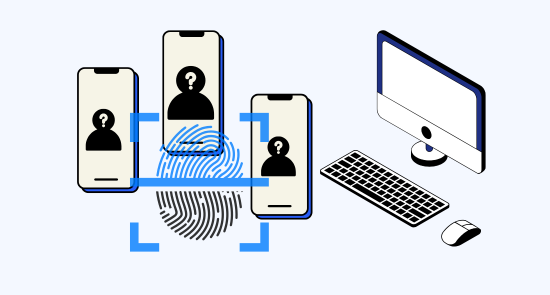
Run as many Bluesky accounts as you need
Effortlessly manage unlimited Bluesky accounts with GeeLark’s secure cloud phones, each assigned a dedicated IP to isolate sessions and ensure safe, scalable social account management.

Scale quicker
Make multiple bluesky accounts easier with automation
Geelark simplifies Bluesky multi-account management with secure, compliant automation, saving time and ensuring reliable performance. Ideal for professionals and teams seeking scalable social presence.
GeeLark AI & AIGC
AI-powered workflow
GeeLark’s AI-powered workflow for Bluesky streamlines content creation, scheduling, and engagement, boosting reach and productivity for creators, teams, and brands with intelligent automation and analytics.


Synchronizer
The synchronizer replicates actions performed on one profile across all other open profiles.

RPA
Use pre-built templates for quick automation, or create custom workflows using RPA.
GeeLark AI
Create captivating content faster with GeeLark AI. Easily edit videos and generate captions, so you can post without delay.
Team collaboration
Share Bluesky accounts with your team
Securely share Bluesky accounts with your team via geelark.com, assigning roles and permissions for streamlined collaboration, professional management, and improved account security and oversight.

Create and manage multiple Bluesky accounts without bans
Explore multi-account management on other platforms
Frequently asked questions
Is it legal to have multiple Bluesky accounts?
Yes, it is legal to have multiple Bluesky accounts, provided each account has a unique email address. However, it’s essential to adhere to the platform’s guidelines and avoid any behavior that could be construed as spam or manipulation to ensure compliance.
How many Bluesky accounts can I create with GeeLark?
With GeeLark, you can create and manage multiple Bluesky accounts seamlessly. Our cloud phone service allows you to operate each account on a unique virtual device, ensuring that they remain distinct and secure. This setup minimizes the risk of account linking or detection, which can lead to suspensions. By utilizing unique proxies and digital fingerprints for each cloud phone, you can maintain a professional presence across all your Bluesky accounts without compromising on security or efficiency.
Will my Bluesky accounts get banned using GeeLark?
Using GeeLark significantly reduces the risk of your Bluesky accounts getting banned. Our platform provides unique cloud phone environments, which help to maintain separate digital identities for each account. This separation minimizes the chances of detection by Bluesky’s algorithms. By utilizing distinct proxies for each account, you can avoid sharing IP addresses, further protecting your accounts from being linked. Additionally, our advanced antidetect technology ensures that your interactions appear more organic and human-like, reducing the likelihood of triggering automated bans. In summary, with GeeLark, you can manage your Bluesky accounts securely and efficiently, mitigating the risk of account bans.
Posting the same content across multiple Bluesky accounts can lead to potential risks, including account suspensions for duplicate content. To maintain a healthy presence, it’s essential to create unique, engaging posts for each account. With GeeLark, you can effortlessly manage multiple Bluesky accounts while ensuring that each account maintains its distinct identity. Our cloud phone solution provides unique digital fingerprints, allowing you to safely diversify your content strategy without triggering platform algorithms.
What proxy setup works best for Bluesky accounts?
For managing Bluesky accounts, a dedicated rotating proxy setup is ideal. This ensures each connection is unique, minimizing the risk of detection and account linking. Combining this with GeeLark’s cloud phone service enhances security and privacy, allowing seamless management of multiple accounts without compromising performance.
GeeLark’s integrated solutions provide the perfect environment for effective Bluesky account management, ensuring compliance with platform policies.
How do I switch between multiple Bluesky accounts?
Switching between multiple Bluesky accounts is made simple and efficient with GeeLark’s cloud phone solutions. Our service allows you to manage each account independently without the risk of linking or detection. Here’s how GeeLark enhances your experience:
- Unique Digital Profiles: Each Bluesky account operates from a distinct cloud phone, ensuring unique digital fingerprints.
- Seamless Management: Easily switch between accounts from a single interface without the need for physical devices.
- Enhanced Security: Our platform minimizes the risk of account suspensions by maintaining separate environments for each account.
- Mobile Features: Access all mobile-exclusive features of Bluesky, providing a comprehensive management experience.
Does GeeLark support all operating systems for Bluesky?
GeeLark currently supports a range of operating systems, including Windows, macOS, and Linux (Ubuntu) for desktop management. While mobile clients are not yet available for the desktop version, our platform is continually evolving to meet user needs, ensuring effective management of your Bluesky accounts with enhanced security and efficiency.
Can I automate actions on Bluesky with GeeLark?
Yes, you can automate actions on Bluesky with GeeLark, enhancing your social media management experience. Our platform offers powerful automation tools designed to streamline your tasks efficiently:
- Task Automation: Schedule posts, likes, and follows automatically, saving you time.
- Multi-Account Management: Manage multiple Bluesky accounts from one dashboard seamlessly.
- Enhanced Security: Maintain unique digital identities for each account, minimizing detection risks.
- AI Integration: Utilize AI-powered features to optimize your engagement strategies.