
Create multiple Depop accounts


Lower the costs
Manage Depop accounts without physical devices
Manage multiple Depop accounts without physical devices using GeeLark’s isolated cloud phones, ensuring secure, scalable, centralized remote control for efficient account management and growth.

Cloud phones
GeeLark provides access to cloud-based Android phones that operate just like real devices.

Unique profiles
Each profile is linked to a unique cloud phone, ensuring a distinct online identity.

Proxy configuration
While GeeLark doesn’t provide built-in proxies, we support configuration of all types of proxies.

If you manage multiple social media accounts with native apps, GeeLark can be your savior! This allows you to use multiple “phones” from a single PC, synchronize repeated workflows, and deploy automation.
Hitesh Sant
Business technology expert at Geekflare
Centralized control
Run as many Depop accounts as you need
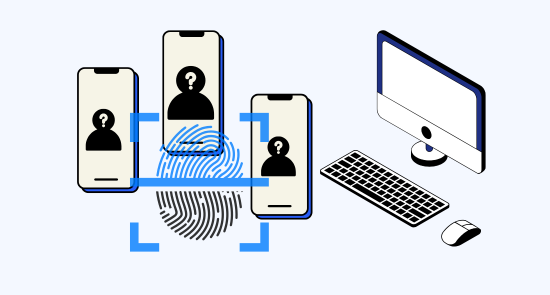
Manage unlimited Depop accounts seamlessly with GeeLark’s secure cloud-phone platform—each account runs on an isolated device with unique IPs, ensuring privacy and reliable performance.

Scale quicker
Make multiple depop accounts easier with automation
Geelark.com streamlines multi-Depop account management with secure automation, improving productivity, ensuring compliance, and unifying branding to maximize sales and time savings for sellers.
GeeLark AI & AIGC
AI-powered workflow
GeeLark AI-powered workflow optimizes Depop listings with SEO-driven titles, descriptions, and tags, boosting visibility and sales while streamlining content creation for sellers.

Synchronizer
The synchronizer replicates actions performed on one profile across all other open profiles.

RPA
Use pre-built templates for quick automation, or create custom workflows using RPA.
GeeLark AI
Create captivating content faster with GeeLark AI. Easily edit videos and generate captions, so you can post without delay.
Team collaboration
Share Depop accounts with your team
Share Depop accounts with your team via Geelark to streamline listings, approvals, and customer responses while maintaining secure access controls and unified analytics for better sales performance.

Create and manage multiple Depop accounts without bans
Explore multi-account management on other platforms
Frequently asked questions
Is it legal to have multiple Depop accounts?
Yes, it is legal to have multiple Depop accounts, provided you follow their guidelines. Ensure each account serves a distinct purpose and is registered with different email addresses. Avoid duplicating listings or engaging in spam-like behavior to maintain compliance with Depop’s policies and prevent account suspensions.
How many Depop accounts can I create with GeeLark?
With GeeLark, you can create and manage multiple Depop accounts seamlessly. Our cloud phone solution offers unique digital identities for each account, ensuring they remain distinct and secure. Here are some key benefits:
- Unlimited Accounts: There is no set limit on the number of Depop accounts you can create, allowing for flexible management of your online presence.
- Unique Device Fingerprints: Each account operates on its own cloud phone, reducing the risk of detection or linking by Depop.
- Enhanced Security: GeeLark’s antidetect technology protects your accounts from being flagged or suspended.
- Efficient Management: Easily switch between accounts from a single interface without the need for multiple devices.
Will my Depop accounts get banned using GeeLark?
Using GeeLark significantly reduces the risk of your Depop accounts getting banned. Our service provides unique cloud phone environments for each account, ensuring that they operate independently and are less likely to be linked together. This approach helps maintain your privacy and security while managing multiple accounts. Additionally, by configuring distinct proxies, you can further mask your online activities, making it appear as if each account is accessed from separate devices. To enhance your success on Depop without the fear of bans, leveraging GeeLark’s advanced antidetect technology is essential.
Managing inventory across multiple Depop shops can be streamlined with GeeLark’s mobile antidetect solutions. Our platform provides:
- Cloud phones with unique device fingerprints, preventing account linking.
- Easy access to manage listings and stock levels across different accounts.
- Automation tools to streamline inventory updates and notifications.
- Enhanced security to protect your accounts from detection.
With GeeLark, you can efficiently oversee your Depop shops, ensuring optimal inventory management without the risk of account suspensions.
What type of proxies work best for Depop shops?
For Depop shops, rotating residential proxies are ideal as they provide a unique IP address for each session, mimicking real user behavior. This reduces the risk of account restrictions and enhances privacy. Additionally, using proxies from different locations can help in accessing geo-specific features and improve your overall online presence.
GeeLark’s cloud phone service seamlessly integrates with these proxy types, ensuring efficient and secure management of your Depop accounts. Experience the difference with GeeLark today!
How do I switch between multiple Depop accounts?
Switching between multiple Depop accounts can be efficiently managed with GeeLark’s cloud phone service. Our platform allows you to maintain unique digital identities for each account, ensuring that you avoid detection and account linking. With GeeLark, you can seamlessly:
- Access unique cloud phones: Each account operates on its own virtual device, providing distinct device fingerprints.
- Utilize advanced proxy configurations: Enhance your security and anonymity while managing your accounts.
- Streamline account management: Easily switch between accounts from a single interface, reducing the hassle of device switching.
- Ensure privacy and security: By isolating accounts, you minimize the risk of suspensions or penalties.
Is GeeLark compatible with Mac and Windows for Depop?
Yes, GeeLark is fully compatible with both Mac and Windows operating systems for managing your Depop accounts. Our cloud phone service offers a seamless experience, allowing you to operate multiple accounts securely and efficiently. Enjoy the benefits of unique device fingerprints and enhanced privacy while managing your Depop presence with ease on any desktop platform.
Can I automate actions on Depop with GeeLark?
With GeeLark, you can effectively automate actions on Depop, streamlining your selling process and enhancing efficiency. Our platform allows you to:
- Automate Listings: Quickly post and manage multiple listings without manual entry.
- Schedule Posts: Set specific times for your items to go live, ensuring optimal visibility.
- Engage with Buyers: Automatically respond to inquiries, improving customer interaction.
- Track Performance: Monitor your sales metrics to refine your strategies.
Experience a seamless and efficient way to manage your Depop presence with GeeLark.