
Create multiple Fiverr accounts


Lower the costs
Manage Fiverr accounts without physical devices
Manage multiple Fiverr accounts without physical devices using GeeLark’s isolated cloud phones, ensuring secure, scalable, centralized control and seamless automation for efficient freelance account management.

Cloud phones
GeeLark provides access to cloud-based Android phones that operate just like real devices.

Unique profiles
Each profile is linked to a unique cloud phone, ensuring a distinct online identity.

Proxy configuration
While GeeLark doesn’t provide built-in proxies, we support configuration of all types of proxies.

If you manage multiple social media accounts with native apps, GeeLark can be your savior! This allows you to use multiple “phones” from a single PC, synchronize repeated workflows, and deploy automation.
Hitesh Sant
Business technology expert at Geekflare
Centralized control
Run as many Fiverr accounts as you need
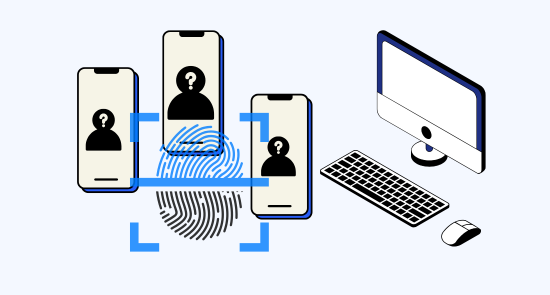
Easily manage multiple Fiverr accounts with GeeLark’s isolated cloud phones and unique IPs, providing secure, independent operation and streamlined control for freelancers and agencies.
Scale quicker
Make multiple fiverr accounts easier with automation
Streamline managing multiple Fiverr accounts with Geelark.com’s secure automation: save time, maintain compliance, centralize messaging and analytics, and scale your freelance business confidently.
GeeLark AI & AIGC
AI-powered workflow
GeeLark’s AI-powered workflow streamlines Fiverr project delivery, enhancing briefs, automating edits, and boosting client satisfaction with faster turnaround and consistently professional, conversion-focused content.


Synchronizer
The synchronizer replicates actions performed on one profile across all other open profiles.

RPA
Use pre-built templates for quick automation, or create custom workflows using RPA.

GeeLark AI
Create captivating content faster with GeeLark AI. Easily edit videos and generate captions, so you can post without delay.
Team collaboration
Share Fiverr accounts with your team
Collaborate on Fiverr with secure account sharing via geelark.com, assigning roles and audit trails to streamline teamwork, boost productivity, and protect seller reputations.

Create and manage multiple Fiverr accounts without bans
Explore multi-account management on other platforms
Frequently asked questions
Is it legal to have multiple Fiverr accounts?
Yes, it is legal to have multiple Fiverr accounts, but you must adhere to Fiverr’s Terms of Service. Each account should serve a distinct purpose, and they must be managed separately to avoid any potential issues or account restrictions. Always ensure compliance with Fiverr’s guidelines to maintain a good standing.
How many Fiverr accounts can I create with GeeLark?
With GeeLark, you can create and manage multiple Fiverr accounts efficiently, enhancing your freelance opportunities. Our cloud phone service ensures that each account operates independently, minimizing the risk of detection or suspension by Fiverr. The key benefits include:
- Unlimited Accounts: There is no strict limit on the number of Fiverr accounts you can create using our platform.
- Unique Digital Identity: Each account is hosted on a separate cloud phone with its own digital fingerprint, ensuring isolation.
- Proxy Support: Easily configure different proxies for each account to further enhance security and anonymity.
- Centralized Management: Manage all your Fiverr accounts from a single interface, streamlining your workflow.
Will my Fiverr accounts get banned using GeeLark?
Using GeeLark significantly reduces the risk of your Fiverr accounts getting banned. Our cloud phone service provides unique digital identities for each account, ensuring that they are treated as independent users. This prevents Fiverr from linking your accounts, which is a common reason for bans. Additionally, by utilizing separate proxies for each cloud phone, you can mask your IP address and further enhance your account’s security. This approach allows you to manage multiple Fiverr accounts seamlessly and safely, minimizing the chances of detection and potential penalties.
Managing orders across multiple Fiverr accounts can be streamlined with GeeLark’s innovative antidetect phone service. Our platform offers:
- Unique cloud phone environments for each account, ensuring separation and security.
- Access to mobile-exclusive features, enhancing your ability to manage orders efficiently.
- Automation tools to simplify order tracking and communication with clients.
- Role-based access for team collaboration, allowing multiple users to manage accounts seamlessly.
With GeeLark, you can enhance your productivity and maintain a professional presence across all your Fiverr accounts.
Does GeeLark support SOCKS5 proxies for Fiverr?
Yes, GeeLark supports the configuration of proxies for Fiverr, allowing you to manage your accounts securely and effectively. By integrating unique proxies, you can enhance your privacy and reduce the risk of account suspensions while facilitating seamless interactions on the platform.
Utilizing GeeLark’s advanced technology ensures that your Fiverr activities remain discreet and efficient, empowering you to focus on your business growth.
How do I switch between multiple Fiverr accounts?
Switching between multiple Fiverr accounts can be efficiently managed using GeeLark’s advanced cloud phone service. Our solution ensures that each Fiverr account operates from a unique virtual device, minimizing the risk of being flagged or linked by Fiverr’s algorithms. With GeeLark, you can:
- Maintain Unique Identities: Each account has its own digital fingerprint, enhancing privacy.
- Streamline Management: Easily switch between accounts without the hassle of logging in and out repeatedly.
- Access Mobile Features: Enjoy the full functionality of Fiverr’s mobile platform on each cloud phone.
- Enhance Security: Isolate accounts to reduce the risk of account suspensions.
Can I use GeeLark on any computer to manage Fiverr accounts?
Yes, you can use GeeLark on any computer to manage your Fiverr accounts effectively. Our platform provides a cloud-based solution, ensuring secure and seamless access to multiple accounts from any device. With unique digital fingerprints and advanced proxy capabilities, GeeLark helps you maintain privacy and avoid account bans, making it the ideal choice for managing your Fiverr presence.
Can I automate actions on Fiverr with GeeLark?
With GeeLark, you can automate actions on Fiverr effectively, enhancing your workflow and productivity. Our platform allows you to manage multiple Fiverr accounts seamlessly while ensuring each operates independently. Key benefits include:
- Task Automation: Streamline repetitive tasks to save time.
- Unique Digital Identities: Maintain distinct profiles for each account to avoid detection.
- Cloud Infrastructure: Access your accounts from anywhere with secure cloud phones.
- Efficiency: Utilize automation tools to increase your service delivery speed.