
Create multiple GrubHub accounts


Lower the costs
Manage GrubHub accounts without physical devices
Manage multiple Grubhub accounts without physical devices. GeeLark leverages secure isolated cloud phones to streamline operations, boost scalability, and eliminate hardware constraints for efficient, compliant management.
Cloud phones
GeeLark provides access to cloud-based Android phones that operate just like real devices.

Unique profiles
Each profile is linked to a unique cloud phone, ensuring a distinct online identity.

Proxy configuration
While GeeLark doesn’t provide built-in proxies, we support configuration of all types of proxies.

If you manage multiple social media accounts with native apps, GeeLark can be your savior! This allows you to use multiple “phones” from a single PC, synchronize repeated workflows, and deploy automation.
Hitesh Sant
Business technology expert at Geekflare
Centralized control
Run as many GrubHub accounts as you need
Scale your GrubHub presence effortlessly with GeeLark: manage multiple accounts securely on isolated cloud phones, each assigned a unique IP to protect privacy and streamline operations.
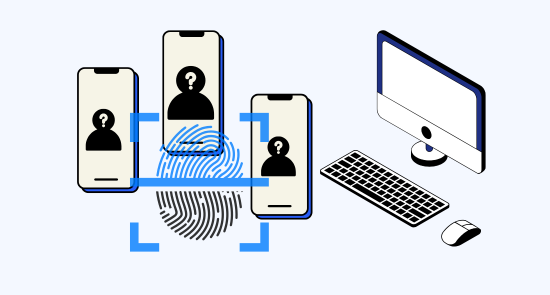

Scale quicker
Make multiple grubhub accounts easier with automation
Geelark’s secure automation streamlines management of multiple Grubhub accounts, increasing operational efficiency, ensuring compliance, and driving revenue growth for restaurants and delivery partners.
GeeLark AI & AIGC
AI-powered workflow
GeeLark AI streamlines GrubHub operations with an AI-powered workflow, optimizing orders, personalizing menus, and boosting delivery efficiency for higher conversions and happier customers.

Synchronizer
The synchronizer replicates actions performed on one profile across all other open profiles.

RPA
Use pre-built templates for quick automation, or create custom workflows using RPA.
GeeLark AI
Create captivating content faster with GeeLark AI. Easily edit videos and generate captions, so you can post without delay.
Team collaboration
Share GrubHub accounts with your team
Geelark.com simplifies secure Grubhub account sharing for teams, providing centralized access controls, role assignments, and audit logs to improve collaboration and operational oversight.

Create and manage multiple GrubHub accounts without bans
Explore multi-account management on other platforms
Frequently asked questions
Is it legal to have multiple GrubHub accounts?
Yes, it is legal to have multiple GrubHub accounts, provided you use distinct email addresses and comply with GrubHub’s terms of service. However, managing multiple accounts for fraudulent purposes or to manipulate promotions may violate their policies, leading to account suspension. Always ensure that each account serves a legitimate purpose.
How many GrubHub accounts can I create with GeeLark?
With GeeLark, you can efficiently manage multiple GrubHub accounts without the risk of detection or suspension. Our cloud phone solution allows you to create and operate numerous accounts, each with its unique digital fingerprint, ensuring they remain distinct and secure. Here are some key benefits:
- Unlimited Account Creation: There’s no strict limit on the number of GrubHub accounts you can create with GeeLark.
- Unique Digital Fingerprints: Each account operates from a separate cloud phone, minimizing the risk of linking.
- Enhanced Security: By using our advanced proxy services, you maintain privacy and reduce the chances of account bans.
- Streamlined Management: Easily switch between accounts from one interface, simplifying your GrubHub management experience.
Will my GrubHub accounts get banned using GeeLark?
Using GeeLark significantly reduces the risk of your GrubHub accounts getting banned. Our cloud phone service provides unique digital identities for each account, ensuring they remain separate and undetectable by GrubHub’s algorithms. With GeeLark, you can:
- Utilize distinct device fingerprints: Each cloud phone appears as a separate user to prevent account linking.
- Configure independent proxy settings: This enhances privacy and minimizes detection risks.
- Manage accounts efficiently: Our platform simplifies the process of switching between accounts without triggering red flags.
By leveraging our advanced technology, you can safely manage your GrubHub accounts and focus on growing your business.
Yes, you can deliver for GrubHub with multiple driver accounts, but it’s essential to manage them effectively to comply with GrubHub’s policies. Using GeeLark’s cloud phone solution allows you to:
- Maintain unique digital identities for each account, minimizing the risk of detection.
- Easily switch between accounts without needing multiple physical devices.
- Enhance your operational efficiency with automation tools for managing deliveries.
With GeeLark, you can optimize your delivery experience while adhering to GrubHub’s guidelines.
Can I configure location-based proxies for GrubHub delivery?
Yes, you can configure location-based proxies for GrubHub delivery using GeeLark. Our platform allows you to set up unique proxies tailored to specific geographical locations, ensuring seamless access and improved security for your delivery operations.
This capability enhances your user experience and helps maintain privacy while managing multiple accounts efficiently.
How do I switch between multiple GrubHub accounts?
Switching between multiple GrubHub accounts can be efficiently managed using GeeLark’s cloud phone service. Our technology allows you to maintain unique digital identities for each account, ensuring that you can operate them independently without detection or linking issues. With GeeLark, you can:
- Utilize unique device fingerprints: Each cloud phone operates with its own digital identity.
- Access multiple accounts seamlessly: Manage all your GrubHub accounts from a single interface.
- Enhance security: Reduce the risk of account suspensions by keeping accounts isolated.
- Streamline account management: Switch between accounts effortlessly while accessing all features.
Does GeeLark work on all operating systems for GrubHub delivery?
GeeLark currently supports Windows, macOS, and Linux (Ubuntu) for our desktop client, enabling seamless management of GrubHub delivery accounts. While mobile clients are not yet available on the desktop version, our platform is designed to enhance efficiency and security for users across these operating systems, ensuring a smooth experience for managing your GrubHub operations.
Can I automate actions on GrubHub with GeeLark?
With GeeLark, you can effectively automate actions on GrubHub, enhancing your operational efficiency. Our platform enables seamless management of multiple accounts while maintaining unique digital identities. This allows you to:
- Streamline order placements: Automate the ordering process across various accounts.
- Schedule promotions: Set up automated posting for special offers and deals.
- Monitor performance: Track and analyze metrics automatically for better decision-making.
- Enhance security: Utilize unique device fingerprints to keep your accounts safe from detection.