
Create multiple Twitch accounts


Lower the costs
Manage Twitch accounts without physical devices
Manage Twitch accounts without physical devices using GeeLark’s isolated cloud phones—secure, scalable account management that eliminates hardware constraints and simplifies multi-account streaming operations.

Cloud phones
GeeLark provides access to cloud-based Android phones that operate just like real devices.

Unique profiles
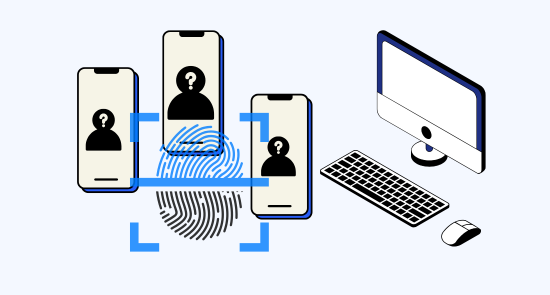
Each profile is linked to a unique cloud phone, ensuring a distinct online identity.

Proxy configuration
While GeeLark doesn’t provide built-in proxies, we support configuration of all types of proxies.

If you manage multiple social media accounts with native apps, GeeLark can be your savior! This allows you to use multiple “phones” from a single PC, synchronize repeated workflows, and deploy automation.
Hitesh Sant
Business technology expert at Geekflare
Centralized control
Run as many Twitch accounts as you need
Manage unlimited Twitch accounts effortlessly with GeeLark’s secure dashboard; each account runs on its own cloud phone with a dedicated IP for complete isolation and protected activity.

Scale quicker
Make multiple twitch accounts easier with automation
Geelark simplifies management of multiple Twitch accounts with secure, compliant automation—streamline logins, scheduling, and analytics for creators and teams at geelark.com.
GeeLark AI & AIGC
AI-powered workflow
GeeLark’s AI-powered workflow for Twitch streamers automates chat moderation, stream optimization, and content discovery—boosting engagement, growth, and professional-quality live experiences.


Synchronizer
The synchronizer replicates actions performed on one profile across all other open profiles.

RPA
Use pre-built templates for quick automation, or create custom workflows using RPA.

GeeLark AI
Create captivating content faster with GeeLark AI. Easily edit videos and generate captions, so you can post without delay.
Team collaboration
Share Twitch accounts with your team
Securely share Twitch accounts with your team via geelark.com, assign granular roles and permissions for efficient collaboration, centralized management, and reliable auditing to protect channel integrity.

Create and manage multiple Twitch accounts without bans
Explore multi-account management on other platforms
Frequently asked questions
Is it legal to have multiple Twitch accounts?
Yes, it is legal to have multiple Twitch accounts, as long as each account adheres to Twitch’s Terms of Service and Community Guidelines. It’s essential to ensure each account serves a distinct purpose and does not engage in spammy behavior to avoid potential penalties or suspensions.
How many Twitch accounts can I create with GeeLark?
With GeeLark, you can create and manage multiple Twitch accounts efficiently. Our cloud phone service enables you to operate each account independently while maintaining unique digital identities. This helps you avoid detection and potential restrictions from Twitch. Here are some advantages of using GeeLark for your Twitch accounts:
- Unlimited Accounts: There is no strict limit on the number of Twitch accounts you can create with our service.
- Unique Device Fingerprints: Each cloud phone operates with its own digital fingerprint, ensuring your accounts remain distinct.
- Enhanced Security: By using dedicated proxies and isolated environments, you minimize the risk of account bans.
- User-Friendly Management: Easily switch between accounts from a single interface without the need for physical devices.
Will my Twitch accounts get banned using GeeLark?
Using GeeLark to manage your Twitch accounts significantly reduces the risk of bans. Our cloud phone service provides unique digital identities for each account, preventing them from being linked together. This separation helps you avoid detection by Twitch’s algorithms, which monitor for suspicious activity across multiple accounts. Additionally, by utilizing different proxies and device fingerprints, you create a safer environment for managing your accounts. To further minimize risks, ensure that each account operates independently and shares original content. With GeeLark, you can enhance your Twitch experience while maintaining compliance with platform guidelines.
Streaming to multiple Twitch channels simultaneously can be efficiently managed using GeeLark’s cloud phone solutions. With our platform, you can:
- Utilize unique digital identities for each channel, reducing the risk of detection and account linking.
- Access powerful automation tools to streamline your streaming process across multiple accounts.
- Maintain security and privacy with separate cloud environments for each Twitch channel.
- Collaborate with your team effortlessly by managing all channels from a single interface.
Choose GeeLark for a seamless multi-channel streaming experience on Twitch.
What type of proxies work best for Twitch streaming?
For optimal Twitch streaming performance, dedicated residential proxies are highly recommended. They provide a stable connection and a genuine IP address, reducing the risk of bans or throttling. GeeLark’s cloud phones can be configured with these proxies, ensuring seamless streaming while maintaining your accounts’ security and anonymity.
Utilizing high-quality proxies enhances your streaming experience, allowing you to engage with your audience without interruptions or restrictions.
How do I switch between multiple Twitch accounts?
Switching between multiple Twitch accounts is easy and efficient with the help of GeeLark’s advanced mobile antidetect solutions. Our cloud phone service allows you to manage each of your Twitch accounts independently, ensuring they remain unlinked and secure. With unique digital fingerprints for each cloud phone, you can effortlessly switch between accounts without triggering security alerts. This capability minimizes the risk of account bans and enhances your streaming experience. By utilizing GeeLark, you can focus on creating content and engaging with your audience while we handle the technical complexities of account management.
Can I use GeeLark on any computer to manage Twitch channels?
Yes, you can use GeeLark on any computer to manage your Twitch channels. Our cloud-based solution provides a seamless and secure environment, allowing you to access and manage your accounts from any device. With unique digital fingerprints and advanced privacy features, GeeLark ensures your Twitch management experience remains efficient and undetectable.
Can I automate actions on Twitch with GeeLark?
With GeeLark, you can effectively automate actions on Twitch, making your streaming and engagement efforts more efficient. Our platform allows you to:
- Streamline interactions: Automate chat responses and engagement with your audience.
- Schedule posts: Plan and automate your content sharing to reach viewers at optimal times.
- Manage multiple accounts: Handle several Twitch accounts seamlessly, enhancing your reach and branding.
Experience the benefits of automation with GeeLark’s advanced features tailored for Twitch users.