
Multi-account management for browser and cloud phone workflows

Cloud phone and browser profiles in one workspace
Proxy, tag, group, and team access controls
No-code automation, synchronizer, and API options
Built for social, ecommerce, testing, and ad verification workflows
Why multi-account management fails when profiles are not isolated
Most multi-account problems start when different accounts share the same device environment, browser fingerprints, cookies, IP patterns, app data, or team login habits. A simple spreadsheet or a set of Chrome profiles may work for a few accounts, but it becomes fragile once a team needs to manage dozens or hundreds of profiles across web platforms and mobile apps.
Shared browser data
Cookies, local storage, cached sessions, and browser fingerprints can overlap when accounts are opened from the same browser setup. This makes accounts harder to separate and harder to audit.
Mixed device signals
Mobile-first platforms often evaluate device-level signals, app behavior, and hardware-like identifiers. Browser-only tools may not be enough for workflows that depend on native Android apps.
Proxy and location mistakes
Traditional Android emulators are usually tied to one local machine. This makes it harder for agencies, remote teams, and social media operators to assign accounts, share access, and manage workflows together.
Team access without controls
When multiple operators share passwords, devices, or manual notes, it becomes difficult to know who changed a profile, which proxy was used, and whether an account was opened in the right environment.
How GeeLark separates accounts across web and mobile workflows
GeeLark gives each account its own managed environment. For web-based workflows, teams can use isolated browser profiles. For mobile-native workflows, teams can use Android cloud phone profiles. Both profile types can be organized in one dashboard with tags, groups, proxies, automation tools, and team permissions.
Cloud phone profiles for mobile-native apps
Use cloud phone profiles when the account workflow depends on a native Android app, mobile device behavior, app installation, or mobile-only features. Each profile runs in a separate Android environment in the cloud, so operators do not need to buy, reset, or maintain physical phones for every account.

Browser profiles for web-based accounts
Use browser profiles when the workflow happens mainly in a web dashboard, ecommerce backend, webmail, ad platform, or website. Each browser profile keeps sessions, cookies, and fingerprint settings separated, helping teams avoid accidental overlap between accounts.

One workspace for profile, proxy, and team control
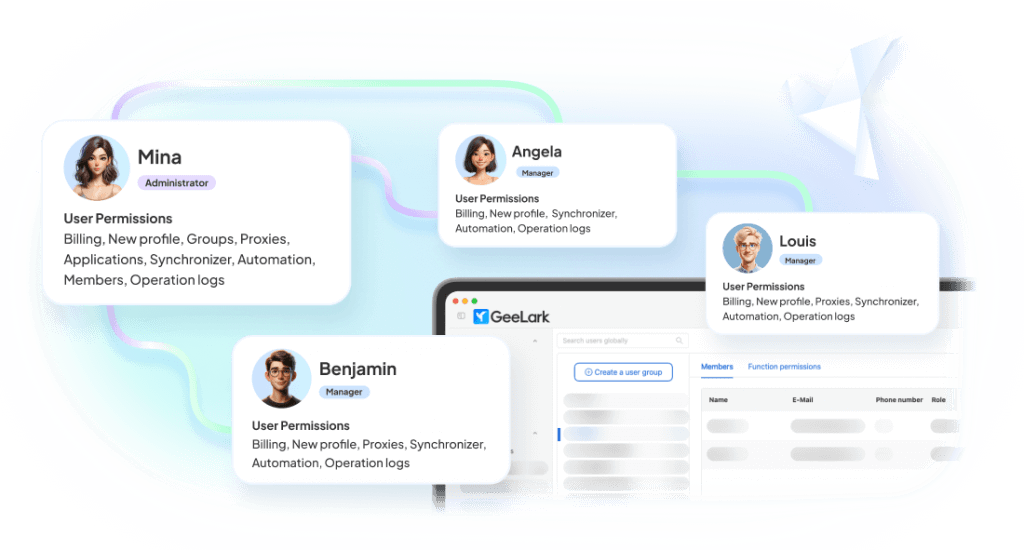
GeeLark brings browser profiles and cloud phone profiles into the same workspace. Teams can group accounts by client, platform, operator, region, or workflow stage, then assign access and launch the right environment without switching tools.
Cloud Phone vs Browser Profile: which one should you use?
The right profile type depends on where the account is operated and what signals the platform relies on. Use this table as a starting point before creating profiles in GeeLark.
| Workflow | Recommended profile | Why | Example platforms |
|---|---|---|---|
| Native mobile app operations | Cloud Phone Profile | Runs inside a separate Android environment and supports app-based workflows | TikTok, Instagram, Snapchat, Telegram, mobile games |
| Web dashboard operations | Browser Profile | Keeps browser sessions, cookies, and fingerprint settings separated | Amazon, eBay, Shopify, ad platforms, webmail |
| Mixed web + app workflow | Both | Use browser profiles for dashboards and cloud phones for app actions | Ecommerce + TikTok Shop, social campaigns, app testing |
| Team account operations | Browser or Cloud Phone Profile with groups and permissions | Keeps access organized by operator, client, platform, or workflow stage | Agencies, media buying teams, ecommerce teams |
| High-volume repetitive tasks | Profile + Automation | Use templates, synchronizer, no-code scripts, or API depending on workflow complexity | Account warmup, posting, app testing, QA tasks |
This recommendation is not a guarantee against platform restrictions. Account quality, user behavior, content patterns, proxy quality, and each platform’s rules still affect account outcomes.
Core features for scalable multi-account operations
Profile isolation for each account
Keep account environments separated with dedicated browser profiles or Android cloud phone profiles. Each profile can hold its own session, configuration, proxy, app setup, and operational context.
Proxy management tied to profiles
Assign proxies at the profile level so operators do not need to manually switch network settings before each session. This reduces mistakes caused by shared proxies, wrong locations, or inconsistent login patterns.
Team access and profile organization
Organize profiles by group, tag, platform, client, or operator. Give team members access to the profiles they need and keep daily work structured as the number of accounts grows.
Automation for repeatable workflows
Use synchronizer, no-code scripts, automation templates, or API integrations to reduce repetitive manual work. GeeLark is best used when automation is paired with profile isolation, review, and gradual scaling.
Start faster with AI-powered templates
Use ready-made templates for social and operational workflows. Customize them with AI-generated content and automate posting or tasks without building from scratch.


Multi-account workflows by platform type


Risk, compliance, and responsible use
GeeLark helps reduce risks caused by mixed environments, shared sessions, manual proxy mistakes, and unmanaged team access. However, no multi-account tool can guarantee account safety or prevent platform restrictions in every situation.
What GeeLark can help with
✅ Separating account environments with browser profiles or cloud phone profiles
✅ Reducing accidental session, cookie, proxy, and device-environment overlap
✅ Organizing profile access for teams and operators
✅ Making repetitive workflows easier to run and review
What still depends on your operation
- Whether your use case follows each platform’s terms and local regulations
- The quality and consistency of your account behavior
- The quality, region, and stability of your proxies
- Your content quality, posting frequency, and engagement patterns
- Platform-specific policies, reviews, and enforcement changes
Recommended operating principles
Use GeeLark for legitimate business, testing, research, and team workflows. Keep accounts organized, avoid mixing unrelated profiles, start automation gradually, monitor account health, and review the rules of each platform before scaling.
Guides for building a safer multi-account setup
Start, manage, and scale multiple accounts — all in one place
How to Expertly Manage Multiple TikTok Accounts
Learn when to use cloud phone profiles for TikTok app workflows, how to separate account environments, and what mistakes increase account-linking risk.

How to Create and Run Multiple Facebook Accounts: The Ultimate Guide
Learn how to safely manage multiple Facebook accounts. Discover why Chrome profiles fail and how antidetect Browsers and cloud Phones protect your business from bans.
Can I Have Multiple Instagram Accounts? The 2026 “No-Ban” Playbook
Compare official account switching, browser workflows, and cloud phone profiles for Instagram operations, including warmup, posting, and team access.
Can You Have Multiple X (Twitter) Accounts? A Beginner-Friendly Guide
Learn how to effectively manage multiple Twitter accounts. Discover the benefits, strategies, and tools you need to succeed.

How to Safely Create and Manage Multiple YouTube Accounts
Learn how to safely create and manage multiple YouTube accounts using GeeLark’s cloud-based solution for maximizing content reach.
2025 Reddit Multi-Account Management: Tips, Tools, and Best Practices
Understand Reddit-specific account organization, shadowban risks, proxy consistency, and profile grouping for outreach or community workflows.
3 Methods to Farm & Manage Multiple Gmail Accounts
Learn 3 methods to farm and manage multiple Gmail accounts. From Chrome profiles to antidetect browsers and cloud phones, learn how to keep accounts secure.

How to Manage Multiple Snapchat Accounts Safely (Complete Guide)
Learn how to manage multiple Snapchat accounts safely. We compare the official method, antidetect browsers, and the best solution: cloud phones.
How to Create Multiple Tinder Accounts: Professional’s Guide
A comprehensive guide on managing multiple Tinder accounts professionally using anti-detect solutions.

❌ Can’t access Instagram?
Learn how to get Instagram unblocked in your country, school, or work. Discover some of the reasons behind Instagram blocks and how to safely access content.

👻 Reddit shadowban?
Not getting the kind of engagement you usually do on Reddit? Learn how to check if you’ve gotten a Reddit shadow ban and how to protect your account.

⚠️ Snapchat locked?
Discover the different types of Snapchat account bans, their leading causes, how to get unbanned, and how to protect your account from future issues.

⚠️ Threads account Banned?
Discover some of the reasons behind Threads bans, how to recover after having your Threads account banned, and how to avoid future problems with Meta.

🌐 Reddit IP ban?
Suspect you’ve gotten a Reddit IP ban? Learn how to confirm if you’ve been banned, how to navigate the ban, and how to protect your account moving forward.

Multi-account browser
GeeLark’s multi-account browser lets you manage social media accounts on any platform with complete isolation, advanced anti-detection, and a unique identity for each profile.

Cloud phone vs browser
Learn when to use cloud phones for mobile-native workflows and when browser profiles are better for web dashboards, ecommerce tools, ad platforms, and webmail accounts.
Best anti-detect tools
Compare anti-detect browsers, cloud phones, proxy browsers, and emulator-based setups by fingerprint isolation, app compatibility, proxy control, and team management.

Cloud phone
See how cloud phones replace physical Android devices for app-based account workflows, testing, social media operations, and mobile-first account management.
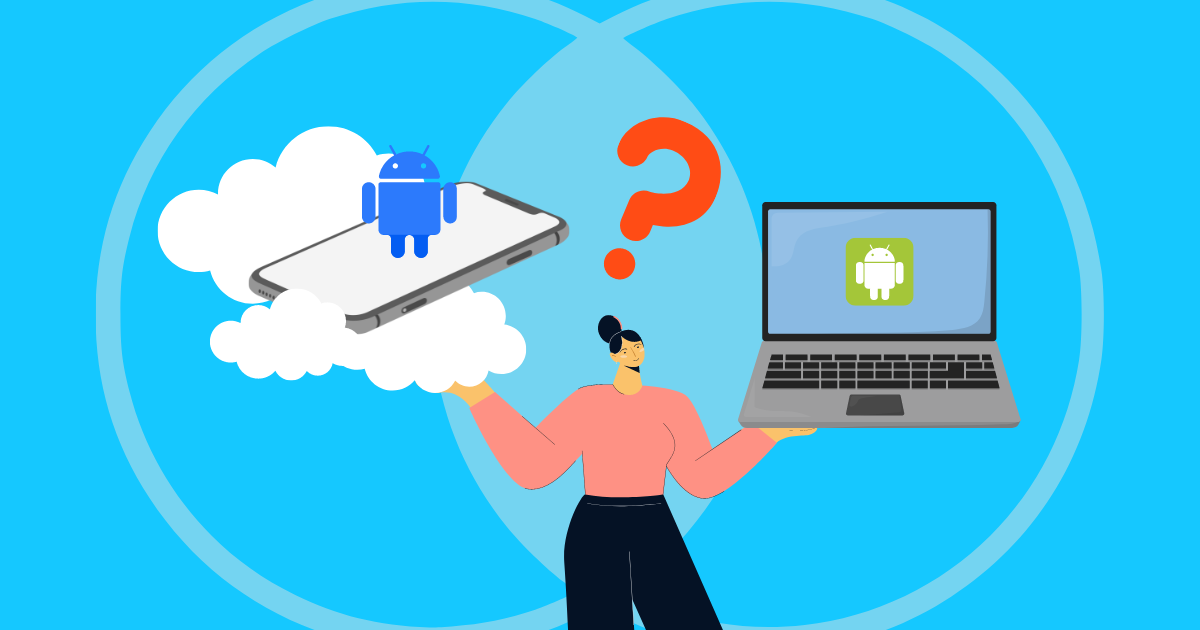
Android emulator
Understand the limits of local Android emulators and when a cloud phone setup is more suitable for team access, scaling, remote operations, and profile organization.

How to Manage Multiple Social Media Accounts: A Complete Guide
Learn how to manage multiple social media accounts efficiently with practical tips for staying organized, consistent, and productive.

Multi-Account Management for Mobile and Browser Workflows
Struggling with multi-account management across phones and browsers? This guide shows how to stay organized, work more efficiently, and build a setup that actually scales.
See multi-account management in action
FAQs
How social media teams scale with GeeLark
Get started in 3 simple steps
Sign up
Download
Login in App
Build a cleaner multi-account workspace with GeeLark
Create separate browser and cloud phone profiles, assign proxies, organize accounts by workflow, and give your team a more reliable way to manage accounts at scale.
